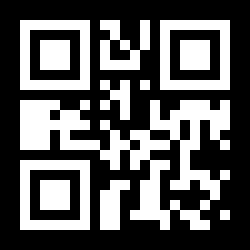
Why Put a Code on Your Form?
Form links from Google Forms, Jotform, and Typeform are long and fiddly —
nobody can read one off a flyer or a slide, let alone type it out. Ask a
room full of people to punch in
docs.google.com/forms/d/e/1FAIpQLSf... and most of them simply
won't bother. A QR code for your form fixes that: point the
camera, tap, fill it in. That's the whole thing.
Easy QR makes crisp, sharp codes that work with the camera that's already on every iPhone and Android — there's nothing extra to install. Grab a free static code right from the home page, or create an editable QR code you can re-aim at next term's form, next quarter's survey, or next year's event without printing again.
Making a Code for a Google Form
- Open your form and click "Send."
In the box that pops up, click the link icon tab and copy the form's web
address. Tick "Shorten URL" if you'd like a neater
forms.gle/...link — it makes no difference to how the code works. - Paste the link into Easy QR. Drop the link into the generator on the home page. Your code appears right away — save it as a PNG, JPG, or SVG.
- Put it where people can scan it. A classroom slide, an event poster, a table tent, a receipt, a handout on the way out the door — anywhere a phone camera can get a clear look at it.
- Want to reuse it? Make it editable. If the same flyer or sign will point to different forms over time, create an account and make a dynamic code instead. Then you can change the form link whenever you like, no reprinting needed.
Making a Code for a Jotform or Typeform
- Get the public link to your form. In Jotform, open the form and click "Publish," then "Quick Share," and copy the public link. In Typeform, open the form, click "Share," and copy the link under "Share via link."
- Paste it into the Easy QR generator. It works just like Google Forms — paste the link, your code appears straight away, and you download it in whatever format you need.
- Give it a test before the big print run. Scan the code with a couple of different phones — an iPhone and an Android if you can — to make sure both land on the live form. Always test first.
Handy Ways People Use Form Codes
Classroom Feedback
Exit tickets, lecture surveys, anonymous course feedback — put the code on your last slide and students answer before they head out.
Event RSVPs
Weddings, birthdays, conferences — pop the code on a save-the-date or invite so guests can RSVP without typing out a long link.
Customer Surveys
Add a code to a receipt, a table tent, or the packaging that opens a quick "how did we do?" survey.
Drive Registration
Workshop sign-ups, club booths, trade-show stands — one scan opens the registration form, no laptop required.
Staff Feedback
Anonymous internal surveys you can stick up in the break room or share as an image in a chat channel.
Volunteer and Contact Forms
Church bulletins, school newsletters, nonprofit flyers — let people sign up with a scan instead of writing it all down.
Static or Editable — Which Form Code Suits You?
| Static (Free, No Account) | Editable Dynamic | |
|---|---|---|
| Cost | Free forever | Paid plan |
| Swap the form link later | No — you'd make a fresh code | Yes — point it somewhere new whenever you like |
| Scan analytics | None | How many, when, country, and device |
| Best for | One-off RSVPs and short-lived surveys | Reusable flyers, repeat surveys, term-after-term feedback |
Questions People Ask About Form Codes
Does the person scanning need a special app?
Nope. Every modern iPhone and Android reads QR codes with the camera that's already built in. They point the camera at the code, tap the little message that pops up, and the form opens in their browser.
Will it work for a Google Form that asks people to sign in?
Yes — though anyone who scans will be asked to sign in to Google first, exactly as they would by clicking the link. If you'd rather let everyone answer without signing in, switch off "Restrict to users in your domain" and "Limit to 1 response" in your Google Form settings.
Can I change which form the code opens after I've printed it?
Only if you made a dynamic (editable) QR code. A static code has the link built right into the pattern, so it can't be re-aimed. If you plan to reuse the same flyer for different forms — say a "feedback" sign that points to a new survey each month — go with a dynamic code.
Do form codes expire?
Static codes never expire. They keep working for good — even if Easy QR vanished tomorrow — because the link is built straight into the pattern. Dynamic codes keep working for as long as your plan is active.
How big should I print the code?
For handouts and flyers, about 2cm (roughly 0.8") is a safe minimum. For posters people scan from across a room — an auditorium or a trade-show booth — size it up. A rough rule of thumb: scan distance divided by 10 gives you the code width.